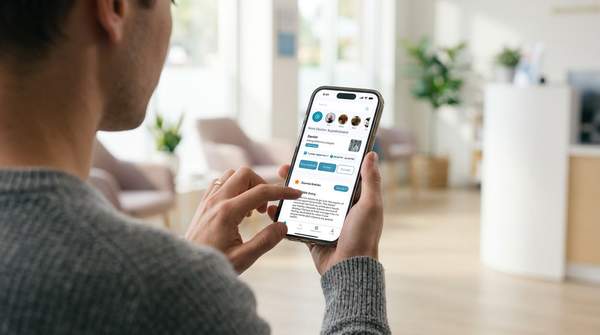
Between school pickups, sports practices, and the group chats that come with both, keeping a household or a team on the same page can turn into a full-time job. SynclyOne is a family hub built to take that job off any single person's plate, pulling schedules, messages, and updates into one shared feed instead of a dozen scattered apps.
Whether you're a parent managing more than one kid's activities or a volunteer running a team's calendar, the basics of how SynclyOne works are worth understanding before you commit to it. This article covers the essentials busy families and activity managers need to know.
What SynclyOne Is Built to Do
At its core, SynclyOne is a centralized hub that brings every schedule, message, and update into one organized feed. Instead of checking a school portal, a team app, a group text, and a personal calendar separately, everything lands in a single shared space that the whole family, or team, can see.

Practices and games, tournaments and brackets, school assignments, RSVPs, and attendance all live in the same place, alongside a shared calendar that syncs with Google Calendar. The goal is straightforward: nothing should slip through the cracks because it was buried in the wrong app.
The Core Schedule and Calendaring Tools
The shared calendar is where most of SynclyOne's value starts. Every practice, game, class event, and appointment lands on one calendar that syncs with Google Calendar, so a partner sees the exact same schedule without needing to be updated separately.
For families involved in sports, tournament schedules, brackets, scores, and standings sit right next to the relevant calendar entry, which means there is no need to dig through a league website on a Saturday morning to figure out where a game is or how a bracket has shifted.
Setup is designed to be quick rather than a project on its own. Once kids, their teams, and their classrooms are connected, the calendar fills in without much manual entry.
Keeping School and Team Communication in One Place
A calendar alone rarely tells the whole story. Class updates and assignment due dates for every child are collected into a single list inside SynclyOne, rather than spread across three school portals and a newsletter.
Alongside that, family, team, and classroom conversations stay in their own protected threads, so an important update from a coach or teacher does not disappear inside a general group text.
This pairing of scheduling and messaging is what turns SynclyOne into more than a calendar. It keeps the context for an event, who is bringing snacks, what time practice actually starts, attached to the event itself.
Shared Access Built Around Privacy
Coordinating a schedule is rarely a one-person task, even when it feels that way. SynclyOne allows a parent to invite a partner, a grandparent, or a sitter, and each of them sees the same schedule and messages without anything needing to be manually forwarded.
That access comes with privacy built in from the start. A family decides what gets shared with a team versus what stays inside the household, and nothing about a child is made public by default. For families weighing a new tool against their comfort with sharing information online, this kind of default matters.
Who SynclyOne Is Designed For
SynclyOne is built with more than one type of user in mind, which is part of why it functions as a shared hub rather than a personal planner. It serves:
- Parents and caregivers balancing multiple kids across multiple activities
- Coaches and team coordinators who need to broadcast updates
- League directors managing tournaments and rankings
Whether the goal is coordinating carpool, tracking standings, or just remembering which field a game is on, the platform is meant to give everyone involved the same clear view.
Getting Started Without Extra Downloads
While dedicated App Store and Google Play versions are being prepared, SynclyOne can be added directly to a phone's home screen as a secure web app. This gives quick, one-tap access without a separate install. A few things make this worth doing:
- One-tap access straight from the home screen
- A focused, app-like view without browser clutter
- The same secure login used for the full account
- Automatic updates, with nothing to download again
The Story Behind SynclyOne
SynclyOne was built by a parent who got tired of being the only one who knew where everyone had to be. It remains a small, independent team rather than a venture-backed operation, and questions can be sent directly through the contact page, where a real person responds.
The platform runs on Base44, with new integrations and features added based on feedback from the families actually using it. That background shapes the product itself: the emphasis on a single shared feed, rather than a long list of features, reflects a tool built to solve one specific, familiar problem rather than to be everything to everyone.
The Bottom Line
For a busy family or a volunteer activity manager, the appeal of SynclyOne comes down to consolidation. A shared calendar synced with Google Calendar, tournament details tied to the schedule, school due dates in one list, protected messaging, and shared access with privacy controls cover most of what makes group scheduling stressful in the first place.
None of it requires a complicated setup or a steep learning curve to start using. Start free with SynclyOne, no credit card required, and see how a shared schedule changes the way your family or team stays organized.
Frequently Asked Questions
Is SynclyOne only useful for sports teams?
No. While SynclyOne works well for coaches and team coordinators managing practices, games, and tournaments, it is built just as much for parents and caregivers coordinating school schedules, appointments, and everyday family activities. The same shared calendar and messaging tools apply to both.
Do I need to download an app to use SynclyOne?
Not necessarily. Dedicated App Store and Google Play versions are being prepared, but SynclyOne can already be added to a phone's home screen as a secure web app, giving one-tap access with the same login and automatic updates.